The online user experience is crucial for engaging and retaining users, and AdSecure detects violations related to cybercriminals exploiting the user experience. This includes all non-critical issues that can negatively impact user satisfaction and potentially drive users away from websites over time if not addressed. In this article, we will explore the threats to user experience that are continuing to decrease thanks to detection software like AdSecure. This software makes it harder for hackers to compromise websites and ad campaigns. If you’re a Publisher or an Ad Network interested in understanding how to avoid a bad user experience online, how cybercriminals disrupt the end user experience with malicious ads, keep reading!
How to avoid a bad user experience online: Auto-download
Auto-downloads are advertisements that automatically download a file or application without any user interaction. This can happen simply by attempting to close the ad, leaving the end user with an unexpected file download. Even if the downloaded file does not contain a virus or malicious content, this can disrupt the user’s experience. It feels like an invasion of privacy because the user did not choose to download or receive an alert about anything beforehand. This can diminish trust in the Publisher’s site and negatively affect how end users perceive the brand associated with the auto-download (opens in a new tab), even if it was added by a Malvertiser.
Here is an example of a scan that has detected an ad featuring an auto-download on AdSecure’s platform:
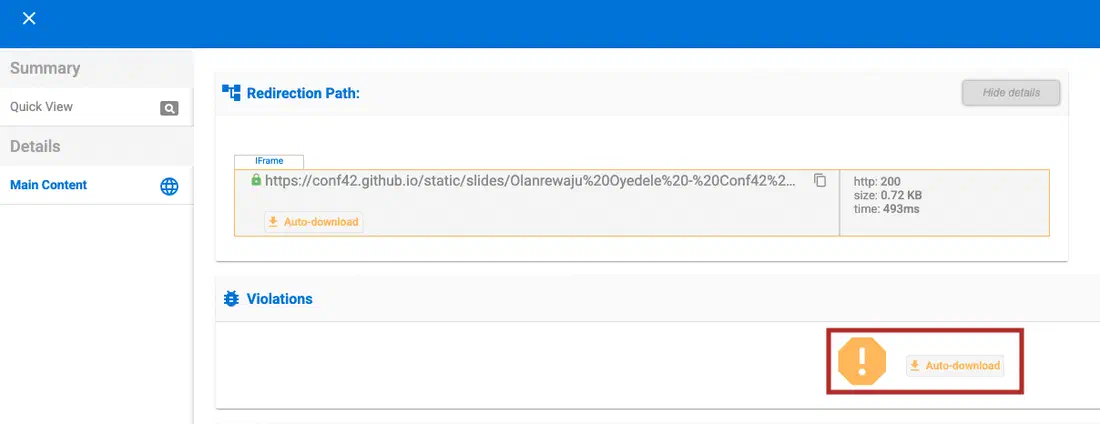
Between Q4 of 2024 and Q1 of 2025, AdSecure has discovered that there has been a decrease of -21.22% in the number of times this violation was detected. This is because Malvertisers are becoming aware that software like AdSecure can easily detect and remove this threat, meaning they are focusing on different ways to circumvent their Malware.
Threats to User Experience: Back Button Hijack
This is a tactic that involves the Malvertiser adding code containing a script that allows an advertiser to manipulate the browser history. Usually, it consists of inserting one or several pages into the browser history, which would prevent the user from going back to their previously searched pages. There are a number of ways in which this could affect the end user. First of all, it’s irritating as the end user has a number of pages they have never seen before in their history and may end up just being redirected each time they select back. It’s also a way for Malvertisers to gain access to the end user’s device, which can allow them to access personal data and include viruses.
Here is an example of how a Back Button Hijack detection is displayed to a client on the AdSecure platform:
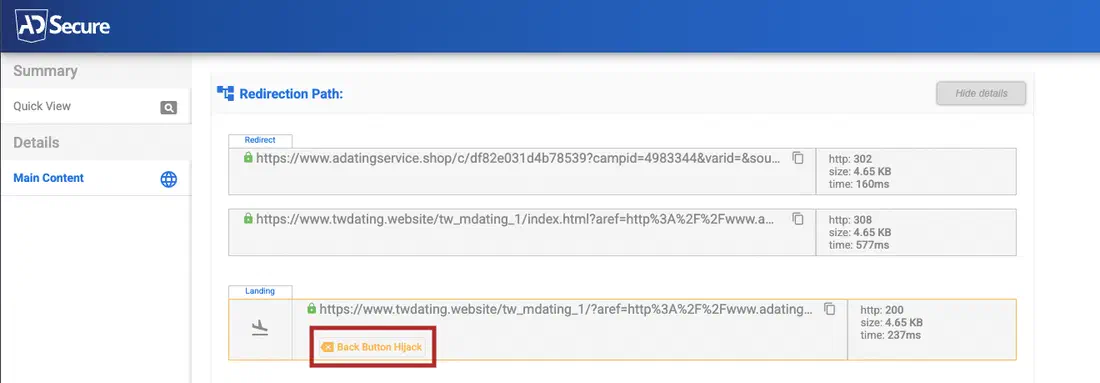
Just like auto-downloads, there has been a significant decrease in the number of detections for this type of violation, with a -55.77% decrease since Q4 of 2024, thanks to AdSecure.
User Experience Violations: JavaScript Alert on entry and exit
This covers all JavaScript alerts that pop up without user interaction when entering or exiting the webpage. JavaScript alert boxes can be highly disruptive and are generally considered poor practice for user experience, especially on entry and exit to a website. This is because they can block all interaction with the rest of the page until the user clicks “OK.” This is extremely annoying and can frustrate users.
Here is an example of AdSecure detecting a JavaScript Alert on website entry:
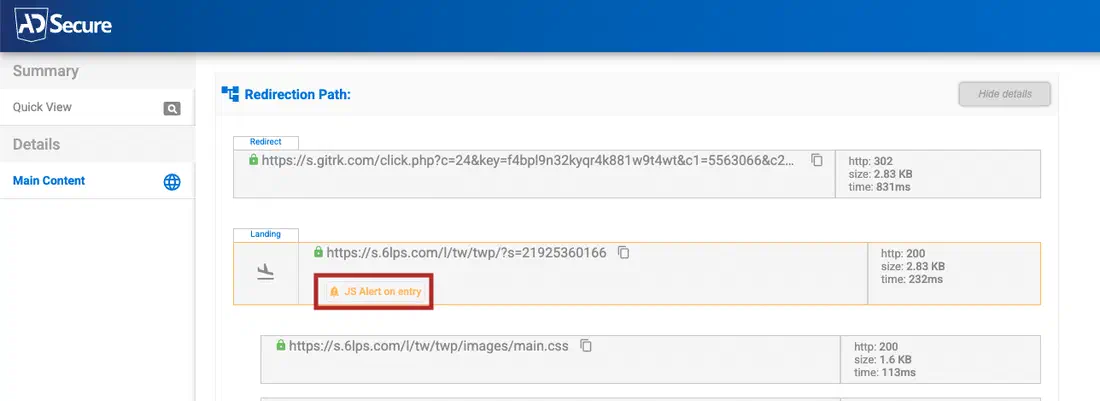
There was a -10.46% reduction in JavaScript Alerts on exit when comparing Q4 of 2024 to Q1 of 2025. This means that it is still a threat, but Malvertisers are starting to try other ways to interrupt the user experience.
How to avoid Malvertising violations
Thanks to solutions like AdSecure, scanning ad campaigns before and after they are live ensures no violations slip through the net, exposing website browsers to malicious types of advertising and affecting the end user experience negatively. Despite decreases in the above three violations, this is not a positive sign. It means that Malvertisers shift their focus to other forms of malicious advertising. That is why it is important to use AdSecure to continually scan for malvertising threats, including User Experience violations. To see specific increases in AdSecure detections, check out our blog article Dangerous Malvertising trends on Q1 2025 and how to stop them.** **
User Experience Violations: How to avoid a bad user experience online
All Publishers and Ad Networks need an extra line of defense against Malvertising. If you are a Publisher or an Ad Network, looking to maintain your brand reputation, serve clean and compliant content, as well as protect the end user experience and online safety on your platform or website, try AdSecure (opens in a new tab). We offer 360-degree monitoring and protection for your ad supply chain by automating your ad verification process before ad campaigns go live & while they are running. Ready to level up your cybersecurity? Get in touch with our team or start a free 14-day trial now (opens in a new tab) to see how AdSecure can help you protect your brand.